How to Connect Google Search Console to Claude Code (With 5 SEO Prompts)
By Shubhranshu, creator of claudeagents · Last reviewed
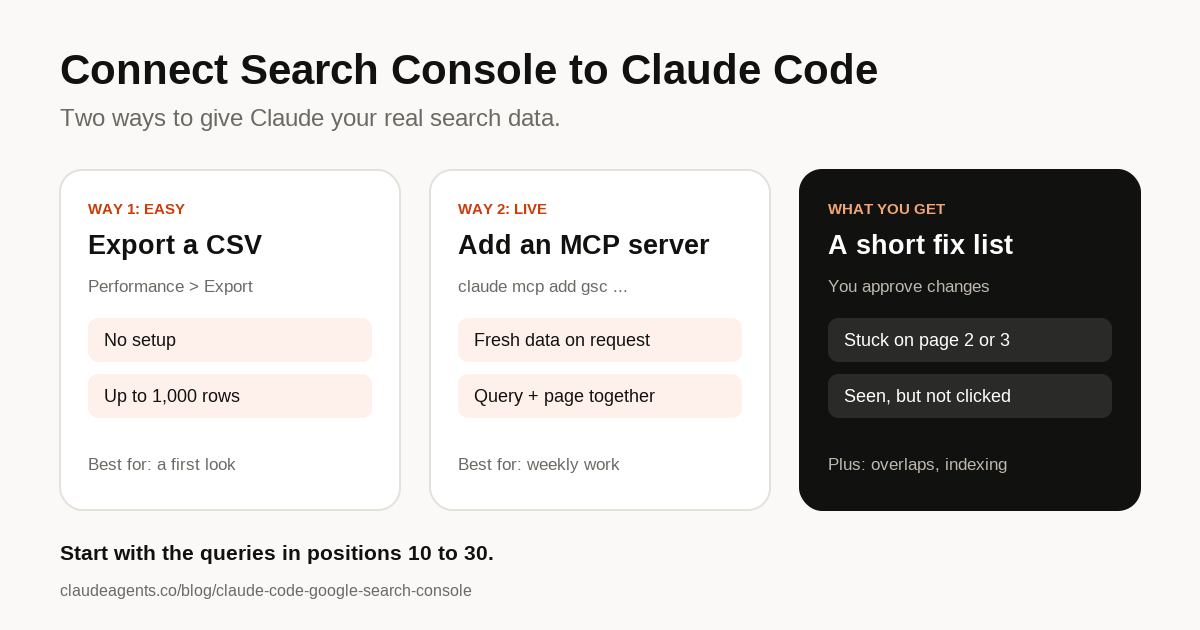
There are two ways to connect Google Search Console to Claude Code: export your Performance report as CSV files and put them in your project, or add a Search Console MCP server so Claude can read live data. The CSV way takes a few minutes and needs no setup. MCP takes longer once, then saves you the export every time.
Why bother? Without your data, Claude can only tell you what good SEO looks like in general. With it, Claude can tell you which of your pages is stuck on page 2, which title people scroll past, and which URLs Google isn't indexing.
New to Search Console? It's Google's free tool that shows how your site does in search. You only need a verified site and a little data to follow along.
Four Search Console words to know first
| Word | What it means | What it helps you find |
|---|---|---|
| Impressions | How many times your site appeared in results | Topics Google already connects to you |
| Clicks | How many times someone clicked through | Pages that bring visitors |
| CTR | Clicks divided by impressions | Results people see but skip |
| Position | The average position of your top result | Pages close to page one |
A query is what someone typed into Google. A page is the URL of yours that appeared. Most useful SEO jobs come from putting those two together.
CSV or MCP: which should you use?
| CSV export | MCP server | |
|---|---|---|
| Setup | None | A Google Cloud project and one command |
| Fresh data | Export again each time | Claude fetches it when asked |
| Query and page together | No, unless you filter and export page by page | Yes |
| Row limit | 1,000 rows per table | More, through Google's API |
| Access you give | Only the files you export | The Search Console properties that account can read |
| Best for | A first look | Weekly work |
Method 1: export a CSV (the easy way)
- Open Search Console, pick your site, and open the Performance report for Search results.
- Set the date range to the last 3 months and switch on all four metrics: clicks, impressions, CTR and position.
- Click Export, choose CSV, and unzip the download.
- Move the files into a folder called
gscin your project. Addgsc/to.gitignoreso you don't publish your search data. - Start
claudein that project and paste the prompt below.
The folder ./gsc holds a Google Search Console export.
Read every CSV in it before answering.

1. Tell me the date range, the search type and how many rows each file has.
2. List the 10 queries with the most impressions.
3. List the 10 pages with the most impressions.

Use only numbers from the files. Queries and pages are exported separately,
so don't guess which page ranks for which query.
That last line of the prompt matters. With two separate lists, it's easy for an AI to match a query to the page that sounds right and present the guess as a fact. To see the real pages, click a query in Search Console and open the Pages tab.
Method 2: connect Search Console with MCP
Google's data needs a connector. This example uses mcp-gsc, a popular open-source server. It's made by a third party, not by Google or Anthropic, so look over the project before you give it access.
- In Google Cloud Console, create a project and enable the Google Search Console API.
- Set up the OAuth consent screen. If the app is in Testing, add your own Google account as a test user.
- Create an OAuth client ID of type Desktop app and download its JSON file. Save it outside your project, for example at
~/secrets/client_secrets.json. - Install uv, which provides the
uvxcommand that runs the server. - Run the commands below in your terminal, then start Claude Code and ask it to list your Search Console properties. A browser window opens for Google sign-in the first time.
claude mcp add \
  --env GSC_OAUTH_CLIENT_SECRETS_FILE="$HOME/secrets/client_secrets.json" \
  --transport stdio \
  --scope user \
  gsc -- uvx mcp-search-console

claude mcp get gsc
--scope user makes the connection available in all your projects. By default the server asks Google for read-only access, so leave GSC_ALLOW_DESTRUCTIVE unset. For more on scopes and managing servers, see our MCP setup guide.
Prompt 1: find pages stuck on page 2 or 3
Start here. These are searches where Google already shows you, just not high enough to get many clicks. It works with CSV or MCP.
Using the last 3 months of Search Console data, find queries with an
average position from 10 to 30. Leave out searches for my brand name.

Sort by impressions and show the top 15: query, position, impressions, clicks.
If you can see the ranking page, add it. If you can't, write "check in GSC".
Don't estimate search volume and don't invent numbers.
Before you edit, search the query yourself. If the top results are a different kind of page from yours (tools when you wrote a guide, for example), more words won't fix it. If they match, answer that query more clearly and link to the page from related ones.
Prompt 2: fix results that people don't click
Being seen and skipped is often a title problem. It can also be an ad, a video or an AI answer above you, so compare against your own pages and not an average from the internet.
Find queries in positions 1 to 10 with a low click-through rate compared
with my other queries in similar positions. Ignore any with very few
impressions and tell me the cut-off you used.

For the top 5, ask me for the page if you don't know it. Then read that page
and suggest a title under 60 characters and a description under 155.
Only promise what the page really contains.
Prompt 3: find pages competing with each other
Two pages answering the same search can split your links and confuse which one should rank. This prompt needs MCP, because it needs query and page data in the same table.
Using query and page data together, find queries where two or more of my
pages get impressions. For each one, read the pages and decide:

- different intent: keep both
- same intent: name the page to keep, and what to move into it

Show the numbers behind each decision. Don't edit or redirect anything yet.
Two pages on one query isn't always a problem, which is why the prompt asks about intent first. We had a real case on claudeagents.co: a comparison page and a blog guide both explained subagents, skills and slash commands. We kept the fuller guide and redirected the other to it.
Prompt 4: sort out pages that aren't indexed
The Performance export doesn't include these. Open Indexing → Pages, click each reason and copy or export its URLs. With MCP, Claude can also inspect URLs you give it.
I'll give you URLs from the "Not indexed" reasons in Search Console's
Page indexing report, with the reason for each.

Sort them into:
1. fine as it is (intentional redirect, noindex or 404)
2. needs a redirect to a close match
3. needs internal links
4. needs better content, or merging into a stronger page

Check each against this project's routes, sitemap and links. Explain each
choice in one line and wait for my approval before changing files.
Here's what that looked like on this site in November 2026. Search Console reported 404s for /compact, /init and /diff. Those are Claude Code command names, so we redirected them to our slash commands guide. It also listed guides that Google had discovered but not crawled, so we linked to them from the footer.
Neither fix needed a new article. That's the point of reading your data before you publish more. A redirect only makes sense when there's a close match, though. A 404 for a page that should be gone is fine.
Prompt 5: get a weekly SEO report
With CSV, export both date ranges first. With MCP, just paste it.
Compare the last 28 days with the 28 days before.

Report: total clicks and impressions, the 5 biggest gains, the 5 biggest
drops, and the 3 jobs worth doing this week.

Keep what the data shows separate from what you think caused it.
If there is too little data to judge, say so.
Pick a day, run it, do the three jobs and write down what you changed. Give each change a few weeks before you judge it.
What to do with the pages you find
Search Console tells you which page needs work. An audit tells you what is wrong with it. You can copy the free audit skill from our Claude Code skills for SEO guide, or follow the technical SEO audit walkthrough for site-wide problems.
If you'd rather not build that yourself, that's what we made the claudeagents SEO kit for. Take the weak pages from your report, run /seo-audit on them, and you get a fix list with the most important first. The kit also has a keyword researcher and agents for writing, coding and marketing.
Common problems and how to fix them
uvx: command not found
Open a new terminal after installing uv. If it still fails, find the full path with which uvx and use that path in the claude mcp add command.
The sign-in stops working after a week
Google expires refresh tokens after 7 days when an external OAuth app is in Testing. Sign in again, or change the app's publishing status in Google Cloud.
Your site isn't in the list
You probably signed in with a different Google account. Check that the account appears under Settings → Users and permissions in Search Console. A domain property is named like sc-domain:example.com, not like a URL.
The totals don't add up
That's normal. Google hides rare queries for privacy but counts them in the chart totals, so the rows can add up to less than the total.
Frequently asked questions
Can Claude Code access Google Search Console?
Yes, but not by default. Either give it CSV files exported from Search Console, or connect a Search Console MCP server so it can fetch the data itself.
Is there an official Search Console MCP server?
The server in this guide, mcp-gsc, is an open-source community project and not made by Google or Anthropic. Review any third-party server before connecting your Google account.
Is it free?
Search Console and the mcp-gsc server are free. You need your own Claude Code access, and the analysis counts toward your usage like any other session.
Can Claude Code see search volume in Search Console?
No. Search Console shows impressions, which is how often your site appeared. That is not how often people search. For search volume you need a keyword tool.
Is it safe to share Search Console data with Claude?
What Claude reads is sent to Anthropic to be processed, under your plan's data terms. Keep exports out of Git, keep credential files outside your project, and don't connect client sites without permission.
How much data do I need?
There's no minimum, but a handful of impressions won't show a pattern. On a new site, start with the indexing prompt and come back to the click-through prompt when you have more data.
Sources
Skip the setup: get 85 ready-made agents
Coding, SEO and marketing kits for Claude Code, with 52 skills and 53 slash commands. $29 one-time, lifetime updates.
See what's included →